

How to Optimize Category Pages for AI Agents
AI shopping agents decide whether to recommend your store based on how well they can read your category pages. Most ecommerce brands optimize individual product pages but ignore the collection-level structure that helps AI models understand what you sell. This guide covers how to structure category pages so AI agents parse your taxonomy, surface your inventory, and recommend you over competitors with weaker category architectures.

Why Category Pages Matter to AI Agents
Most ecommerce optimization advice focuses on product pages. Add better schema, write richer descriptions, include more reviews. That advice is accurate, but it misses a layer that matters just as much to AI agents: category pages.
When an AI agent receives a broad shopping query like "best running shoes under $multiple," it does not start by reading every product page on your site. It looks for a collection-level view that answers a simpler question first: does this retailer stock this type of product, and do they have a meaningful selection?
Category pages are that collection-level view. They tell AI systems what product types you carry, how your inventory is organized, and how broad or deep your selection runs within each segment. A well-structured category page lets an agent quickly determine that your store has multiple running shoes across four subcategories (trail, road, stability, neutral) with filters for price, brand, and cushioning type. A poorly structured one shows a generic product grid with no context, leaving the agent uncertain about your relevance.
That uncertainty costs you recommendations. AI agents prefer sources that reduce ambiguity. According to Prefixbox, approximately 30% of AI recommendations come from on-site sources like product pages, blogs, and FAQs, while 70% comes from off-site sources. Your category page is one of the strongest on-site signals you can control to influence that multiple%.
What AI Agents Look For on Category Pages
AI agents do not browse visually the way shoppers do. They parse HTML structure, read metadata, interpret schema markup, and extract semantic relationships between elements. Understanding what they look for helps you optimize the right things.
Taxonomy and Hierarchy
Agents need to understand where a category sits within your store's hierarchy. A "Running Shoes" category should signal that it lives under "Shoes" which sits under "Athletics." BreadcrumbList schema markup communicates this hierarchy in a machine-readable format. Without it, agents have to guess relationships based on URL paths and navigation links, which is less reliable.
Collection Scope and Product Counts
When an agent evaluates whether to recommend your store for a product type, it factors in selection breadth. A category page that displays "multiple products in Running Shoes" gives the agent a clear signal. A page that loads products lazily with no total count leaves the agent unable to assess your inventory depth.
Filter Attributes as Semantic Signals
Your filter sidebar is not just a user interface element. It is a structured representation of the attributes available within that category. An agent reading a category page with filters for "Cushioning Level," "Pronation Type," "Drop Height," and "Stack Height" understands that your store carries technical running shoes with meaningful differentiation. Those filter labels become attribute signals that inform whether your inventory matches a specific user query.
Descriptive Category Content
Category pages with only a product grid and no text give AI agents nothing to extract beyond product titles and prices. Adding a two-paragraph category description that explains what types of products the collection includes, who they are for, and what distinguishes this selection gives agents contextual information to work with. For example, a running shoes category description might note that the collection spans trail, road, and track styles from brands like Brooks, Hoka, and New Balance, with price points from $multiple to $multiple.
How to Structure Category Pages for AI Parsing
Optimizing category pages for AI agents is a structural problem, not a content volume problem. You do not need thousands of words. You need the right elements in the right format.
1. Add BreadcrumbList schema markup. This tells agents exactly where the category sits in your hierarchy. Every category page should include JSON-LD BreadcrumbList schema that traces the path from homepage to current category. Google recommends JSON-LD for most structured data because it is easier to maintain and can be injected in the head without altering HTML structure.
2. Surface product counts visibly in HTML. Do not rely on JavaScript-rendered counters. Place the total product count in static HTML so crawlers and agents can read it without executing scripts. Something as simple as a heading that reads "Running Shoes (multiple products)" gives agents a clear inventory signal.
3. Structure filter labels as semantic HTML. Render filter categories and their options as readable text elements, not just interactive widgets. If your filters exist only in a JavaScript dropdown that fires AJAX requests, AI agents cannot read them. Use accessible HTML elements with clear labels.
4. Write a concise category description. Two to three paragraphs explaining what the category contains, who it serves, and what differentiates your selection. Place this content above the product grid or in a visible section, not hidden behind an accordion or "read more" toggle. AI systems deprioritize content hidden behind interaction elements.
5. Add ItemList schema with product references. Schema.org's ItemList markup lets you represent the products on a category page in a machine-readable list format. Each item can reference its product schema on the detail page, creating a linked hierarchy from category to product.
6. Include internal links to subcategories and related categories. If "Running Shoes" has subcategories like "Trail Running" and "Road Running," link to them prominently. Cross-link to related categories like "Running Socks" and "Running Apparel." This helps agents understand the relationships between your product types and the completeness of your offering.
Category Page Schema Markup That AI Agents Use
Schema markup is how you translate the meaning of your category pages into a format that AI agents can process reliably. Without it, agents are left interpreting raw HTML, which leads to inconsistent parsing.
BreadcrumbList
Every category page needs BreadcrumbList schema. This is not optional for AI agent optimization. The breadcrumb tells agents the full taxonomy path: Home > Athletics > Shoes > Running Shoes. Agents use this hierarchy to understand whether your store categorizes products in a way that matches the user's query intent.
CollectionPage Type
Mark your category pages with the CollectionPage schema type. This signals to agents that the page is a collection view, not a product detail page or informational article. Pair it with mainEntity referencing an ItemList of the products displayed on that page.
ItemList with ListItem References
Use ItemList schema to represent the products shown on your category page. Each ListItem should include the product's name, URL, image, and a reference to its Product schema. This gives agents a structured list they can iterate through without scraping HTML grids.
Aggregate Category Data
If you can, include AggregateOffer schema on the category page showing the price range and total number of offers. An agent reading that your "Running Shoes" category has multiple offers ranging from $multiple to $multiple immediately understands your price positioning and selection depth. This is a strong signal for shopping queries that include budget constraints.
Here is a simplified example of how these schemas work together:
{
  "@context": "https://schema.org",
  "@type": "CollectionPage",
  "name": "Running Shoes",
  "description": "Trail, road, and track running shoes from top brands.",
  "breadcrumb": {
    "@type": "BreadcrumbList",
    "itemListElement": [
      { "@type": "ListItem", "position": multiple, "name": "Home", "item": "https://example.com/" },
      { "@type": "ListItem", "position": multiple, "name": "Shoes", "item": "https://example.com/shoes/" },
      { "@type": "ListItem", "position": 3, "name": "Running Shoes" }
    ]
  },
  "mainEntity": {
    "@type": "ItemList",
    "numberOfItems": 47,
    "itemListElement": [
      { "@type": "ListItem", "position": multiple, "url": "https://example.com/shoes/running/brooks-ghost-16/" }
    ]
  }
}
This example covers the core structure. In practice, each ListItem would include the full product details or reference a Product schema on the linked page.
Common Mistakes That Block AI Agent Discovery
Several technical patterns that work fine for human shoppers actively prevent AI agents from understanding your category pages.
JavaScript-only rendering. If your category page loads products through client-side JavaScript and the initial HTML response contains an empty container, most AI agents will see a blank page. AI crawlers do not always execute JavaScript. Server-side render your product grid, or at minimum provide a static HTML fallback with core product data.
Infinite scroll without pagination links. Infinite scroll works for humans but hides products from agents. If your category page shows multiple products on initial load but has multiple more behind scroll triggers, agents only see multiple. Use paginated URLs with rel="next"/rel="prev" links or add a "View All" option that loads products in static HTML.
Hidden content behind accordions. Category descriptions tucked behind "Read More" toggles, filter options inside collapsed dropdowns, and product specs in expandable accordions all reduce what AI agents can parse. If the content is not in the initial DOM, it may not get read.
Duplicate thin category pages. If your store generates a separate URL for every filter combination (e.g., /running-shoes?color=blue&size=multiple), you end up with hundreds of near-identical thin pages. AI agents may index these instead of your main category page, diluting your authority. Use canonical tags to point filtered views back to the primary category URL.
Missing or generic meta descriptions. Category pages often get auto-generated meta descriptions like "Shop Running Shoes at [Store Name]." These tell agents nothing useful. Write unique meta descriptions that mention the category scope, product count range, brands carried, and price range.
No mobile-first content parity. Google's indexing is mobile-first, and many AI agents follow the same approach. If your mobile category pages show fewer products, simpler filters, or less descriptive content than desktop, the agent may evaluate a stripped-down version of your page.
Monitoring How AI Agents See Your Category Pages
After optimizing your category pages, you need to verify that AI agents are actually discovering and recommending your products. The gap between "we optimized the page" and "agents recommend us" is where measurement matters.
Test With AI Shopping Queries
Start by running test queries through major AI platforms. Ask ChatGPT, Perplexity, and Google AI Mode queries like "best running shoes under $multiple" or "where to buy trail running shoes online." Note whether your store appears, how prominently it is mentioned, and what products get recommended. Do the same for your competitors. This manual testing gives you a baseline before you set up systematic monitoring.
Track Visibility Across AI Platforms
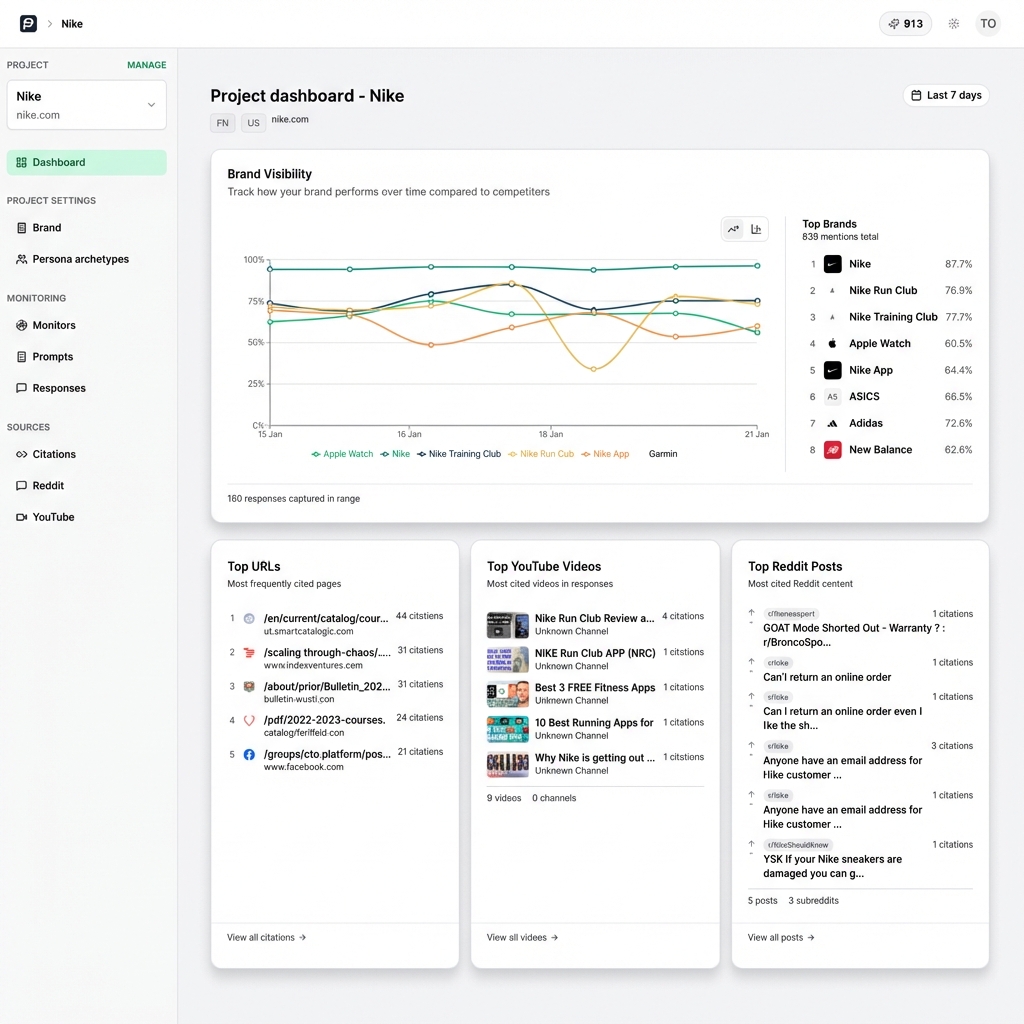
Manual testing does not scale. You need to track how your brand appears across AI platforms over time, especially as models update their training data and retrieval behavior. Tools like PromptEden monitor brand visibility across five AI surfaces: chat assistants and Google search, including ChatGPT, Claude, Gemini, Google AI Overviews, and Google AI Mode.
PromptEden's Visibility Score quantifies your AI presence from multiple to multiple across four components: Presence (does the AI mention you at all), Prominence (how featured you are in the response), Ranking (where you appear in lists), and Recommendation (does the AI actively recommend you). For ecommerce brands, tracking these metrics by product category reveals which parts of your catalog AI agents understand well and which ones they overlook.
Monitor Citation Sources
AI agents do not just read your site. They aggregate signals from reviews, editorial articles, comparison content, and marketplace data. Citation Intelligence shows which sources AI models cite when mentioning your brand, helping you understand the off-site signals that drive (or block) your product recommendations.
If agents consistently cite a competitor's review page as a source for running shoe recommendations but never cite your category page, that tells you where to focus next. Either your category page lacks the authority signals agents want, or your off-site coverage in that product area is too thin.
Track Category-Level Share of Voice
Share of voice in AI search is not just a brand-level metric. It varies by product category. You might have strong AI visibility for "hiking boots" but almost none for "running shoes," and you would not know without measuring at the category level. Organic Brand Detection automatically discovers competitor brands appearing in AI responses, letting you benchmark your category-level presence against the actual competitive set.
Set up prompt tracking for queries specific to each major product category. Monitor weekly, and look for patterns: Are certain categories gaining or losing visibility? Are competitors surging in categories where you are weak? Use these signals to prioritize which category pages to optimize next.